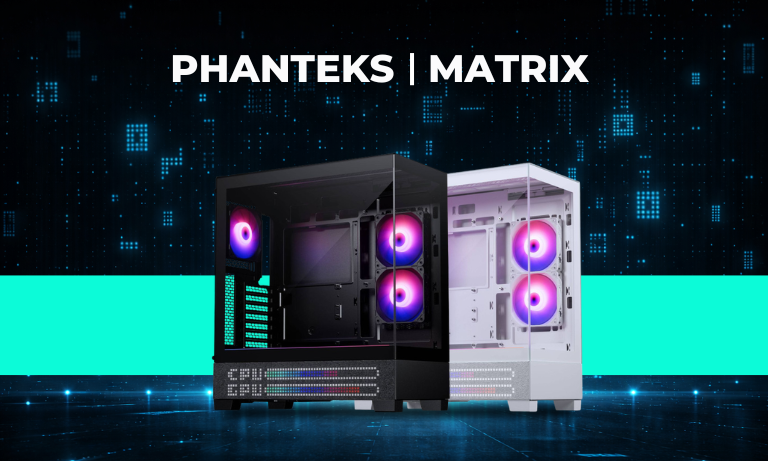
Phanteks XT View and Matrix Screen – a shared concept built around visual impact
The Phanteks XT View is already an interesting option in the field of visually focused, glass-panel PC cases, but together with the Matrix Screen accessory it becomes a much more distinctive system. The main appeal of the case lies in its two large glass panels, modern internal layout and well-thought-out cooling design, while the separately available Matrix display adds a 600-LED panel to the overall concept. It fits into the case in a way that does not disrupt the design language, but instead integrates naturally into it.
The product family essentially approaches the same idea from two directions. The XT View LED Matrix case is built around the display concept from the factory, while the separately available Phanteks Matrix Screen is designed for users who want to upgrade an existing XT View or compatible G400A case. Because of this, the four listed products are really part of one shared ecosystem: two case color variants and two matching display upgrades available in the same colors make up the lineup.
The product family essentially approaches the same idea from two directions. The XT View LED Matrix case is built around the display concept from the factory, while the separately available Phanteks Matrix Screen is designed for users who want to upgrade an existing XT View or compatible G400A case. Because of this, the four listed products are really part of one shared ecosystem: two case color variants and two matching display upgrades available in the same colors make up the lineup.
Phanteks XT View case design and hardware compatibility
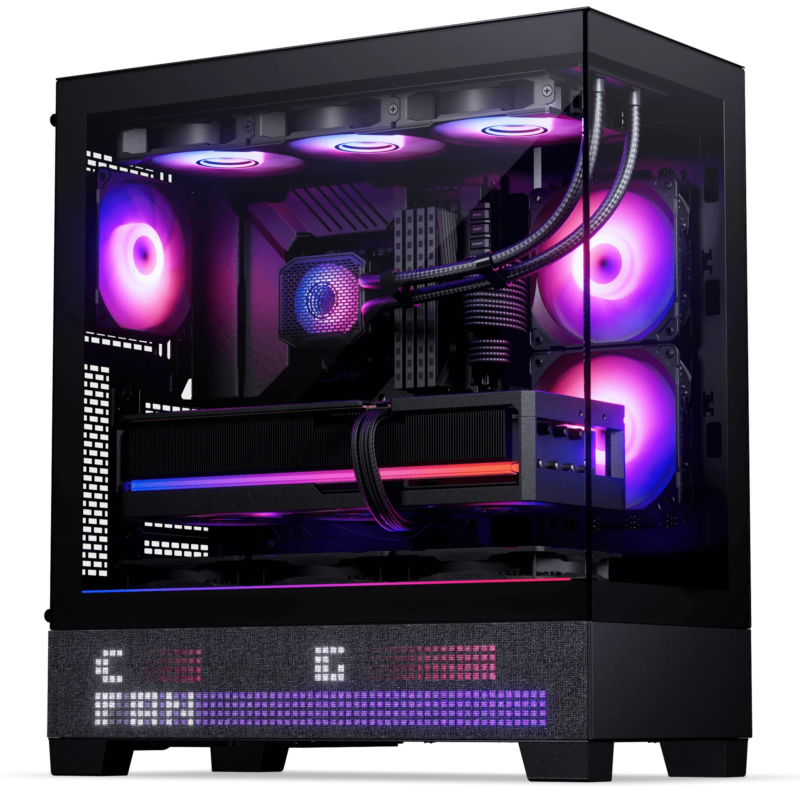
The XT View is a mid-tower ATX case that supports E-ATX, ATX, Micro-ATX and Mini-ITX motherboards up to 280 mm wide. By current standards, the interior is spacious: it offers 415 mm of clearance for graphics cards, supports CPU coolers up to 184 mm high, and can accommodate power supplies up to 270 mm in length. In practice, this means the XT View is not just suited to visually impressive builds, but can also serve as a solid foundation for more powerful hardware.
One of the case’s major strengths is its support for rear-connector motherboards, including solutions such as ASUS BTF, MSI Project Zero and Gigabyte Project Stealth. This is especially well suited to clean, showcase-style builds, since it allows for a much tidier interior. With its dual glass-panel design, cable management matters from a visual standpoint as well, and Phanteks has clearly tuned the case for exactly this kind of use.
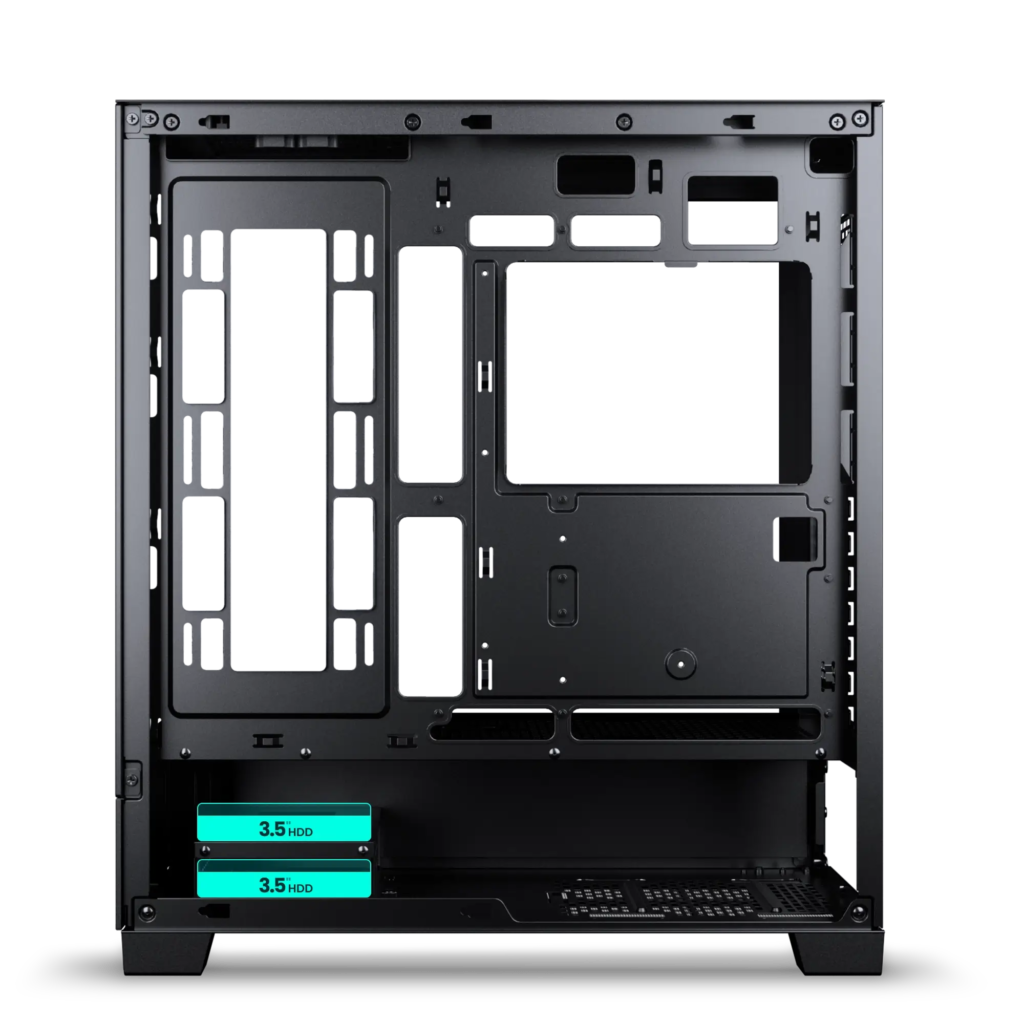
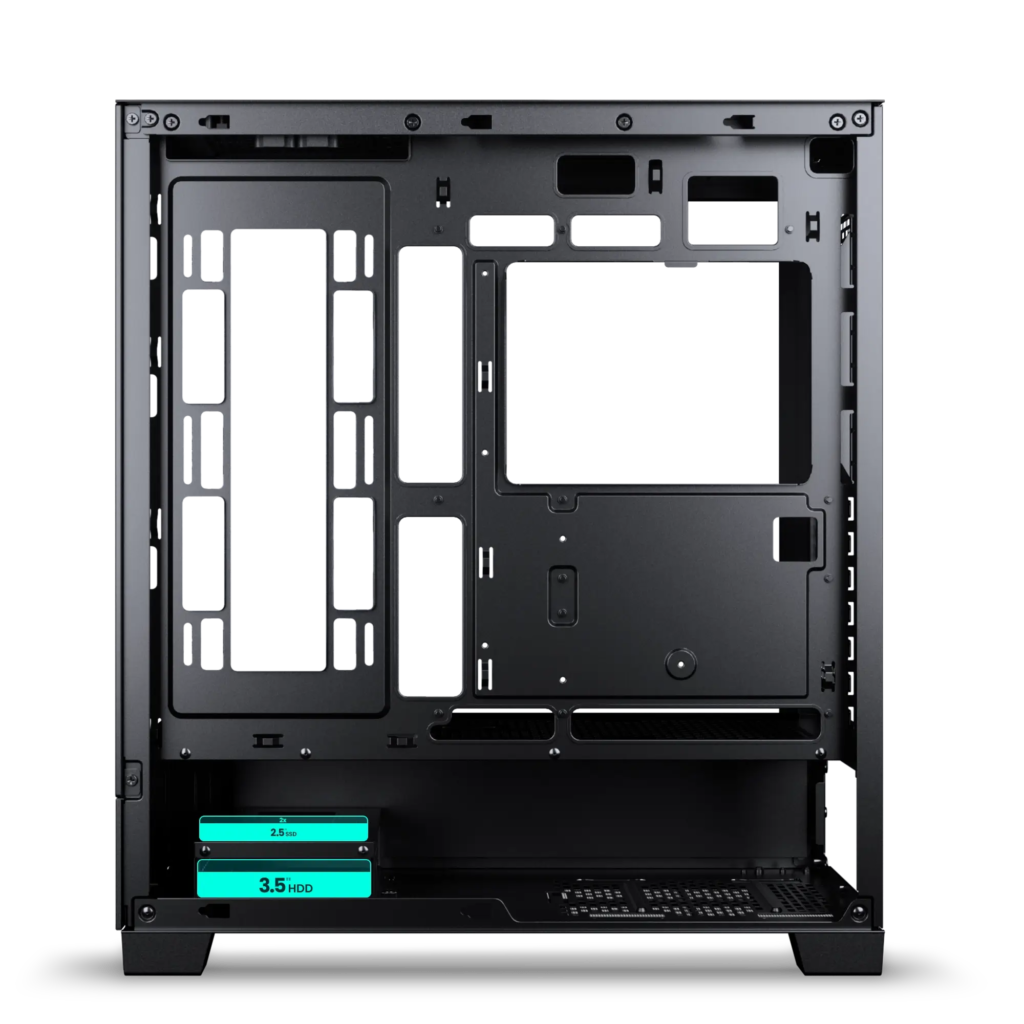
Storage support is flexible too. The lower bracket can be configured in two ways: either with 2 x 3.5-inch hard drives, or with 1 x 3.5-inch drive and 2 x 2.5-inch SSDs. In the age of M.2 SSDs this plays more of a supporting role, but it is still useful for users who plan to include high-capacity storage in their systems.
One of the case’s major strengths is its support for rear-connector motherboards, including solutions such as ASUS BTF, MSI Project Zero and Gigabyte Project Stealth. This is especially well suited to clean, showcase-style builds, since it allows for a much tidier interior. With its dual glass-panel design, cable management matters from a visual standpoint as well, and Phanteks has clearly tuned the case for exactly this kind of use.
Storage support is flexible too. The lower bracket can be configured in two ways: either with 2 x 3.5-inch hard drives, or with 1 x 3.5-inch drive and 2 x 2.5-inch SSDs. In the age of M.2 SSDs this plays more of a supporting role, but it is still useful for users who plan to include high-capacity storage in their systems.
Cooling, airflow and integrated D-RGB lighting
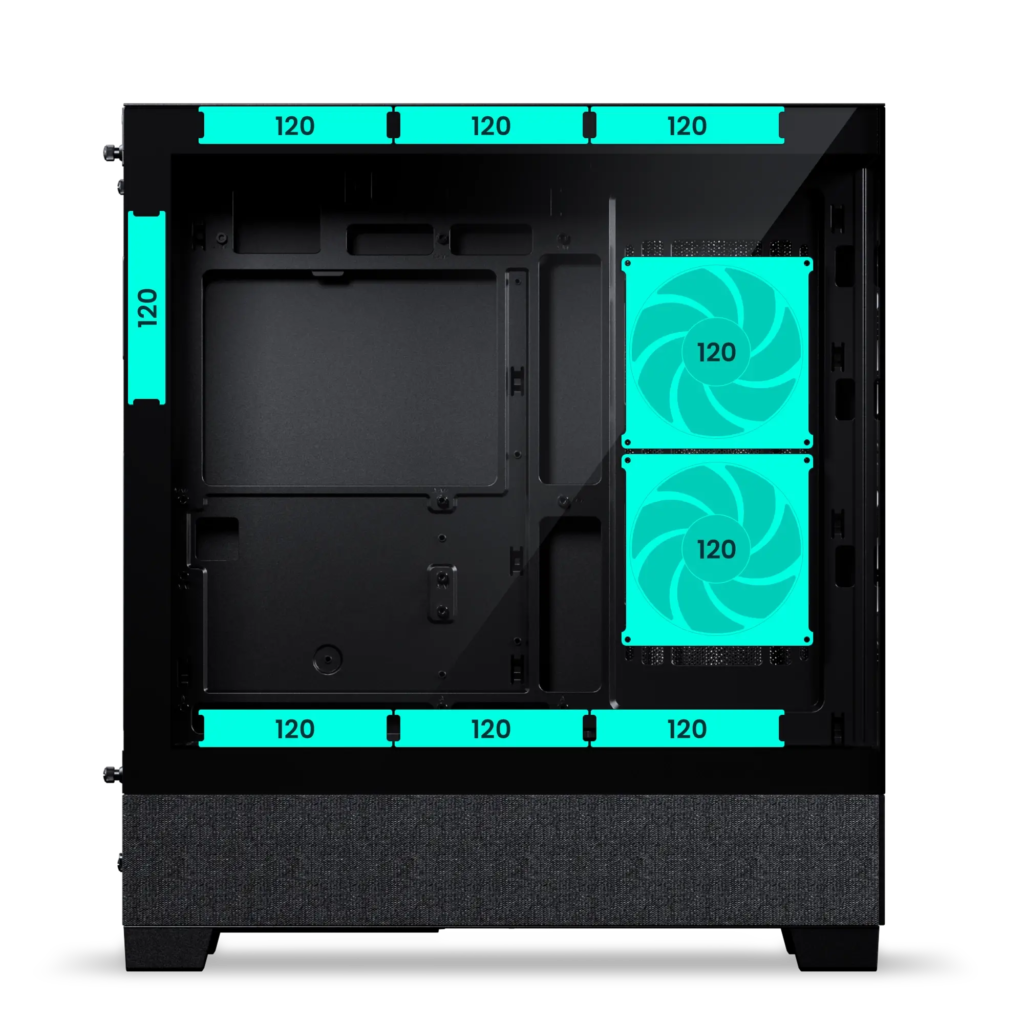
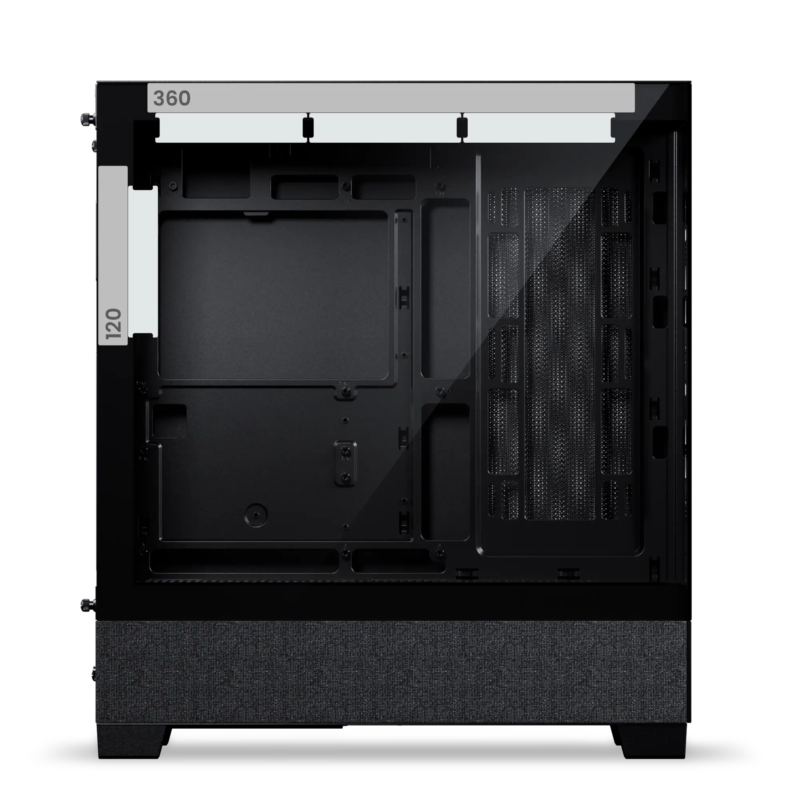
The Phanteks XT View follows a modern approach to cooling as well. It supports up to 9 x 120 mm fans in total: 3 at the top, 3 at the bottom, 2 on the side and 1 at the rear. Radiator support is also strong: the top can accommodate up to a 360 mm radiator, and a 240 mm radiator can also fit on the side if the system uses the separately available vertical GPU bracket. This layout is particularly useful when the configuration includes a more powerful processor and a higher-wattage graphics card.
The standard XT View case comes with 3 x M25-120 D-RGB fans pre-installed, and also features integrated D-RGB light strips. The lighting can be controlled without separate software using the buttons on the case, but when connected to a compatible motherboard it can also be synchronized through software. This matters because the case is clearly aimed not only at builders focused on performance, but also at those who care about the overall presentation of the system.
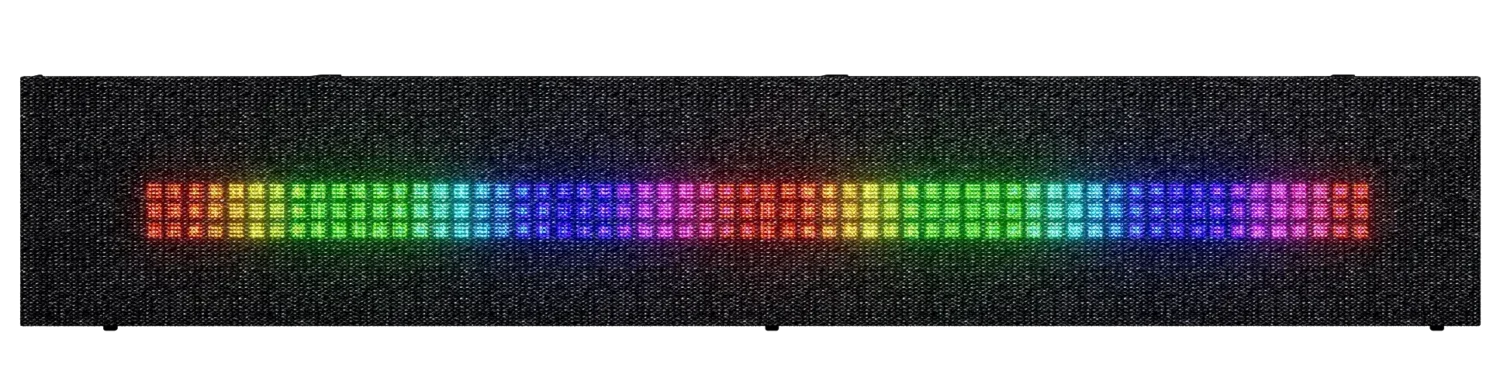
On the Matrix display version, the 600-LED panel visually reinforces this direction. The panel sits behind a fabric cover, so it does not appear as a raw LED surface, but as a more softly diffused, more readable and more refined display area. This keeps the solution from feeling overly flashy, and instead gives the case a more modern and polished character.
The standard XT View case comes with 3 x M25-120 D-RGB fans pre-installed, and also features integrated D-RGB light strips. The lighting can be controlled without separate software using the buttons on the case, but when connected to a compatible motherboard it can also be synchronized through software. This matters because the case is clearly aimed not only at builders focused on performance, but also at those who care about the overall presentation of the system.
On the Matrix display version, the 600-LED panel visually reinforces this direction. The panel sits behind a fabric cover, so it does not appear as a raw LED surface, but as a more softly diffused, more readable and more refined display area. This keeps the solution from feeling overly flashy, and instead gives the case a more modern and polished character.

Phanteks Matrix Screen – a 600-LED display for XT View and G400A cases
The separately available Phanteks Matrix Screen is essentially a purpose-built case upgrade designed for the XT View and Eclipse G400A models. The panel measures 436 × 77 × 17 mm, uses 600 LEDs, and can be installed without modification thanks to its design-matched fit. This is an important difference compared to DIY-style display solutions: instead of adding a foreign element to the case afterwards, this is a factory-level accessory that fits precisely into place.
The display uses SATA power and a motherboard USB 2.0 header connection, while customization is handled through the Phanteks NexLinq application. According to the manufacturer, the panel can show system information, time, date, text, lighting effects and animations. In practice, this means the Matrix Screen is not just an ambient visual element, but can also function as a kind of visual status panel.
One interesting detail is Phanteks’ emphasis on hardware-controlled operation, meaning the display is designed to keep animations smooth while maintaining low CPU usage. That is especially important for this kind of visual extra, which is meant to remain part of the system over the long term rather than serving as a one-off showcase feature.
The display uses SATA power and a motherboard USB 2.0 header connection, while customization is handled through the Phanteks NexLinq application. According to the manufacturer, the panel can show system information, time, date, text, lighting effects and animations. In practice, this means the Matrix Screen is not just an ambient visual element, but can also function as a kind of visual status panel.
One interesting detail is Phanteks’ emphasis on hardware-controlled operation, meaning the display is designed to keep animations smooth while maintaining low CPU usage. That is especially important for this kind of visual extra, which is meant to remain part of the system over the long term rather than serving as a one-off showcase feature.
Black and white versions – which suits what kind of build?
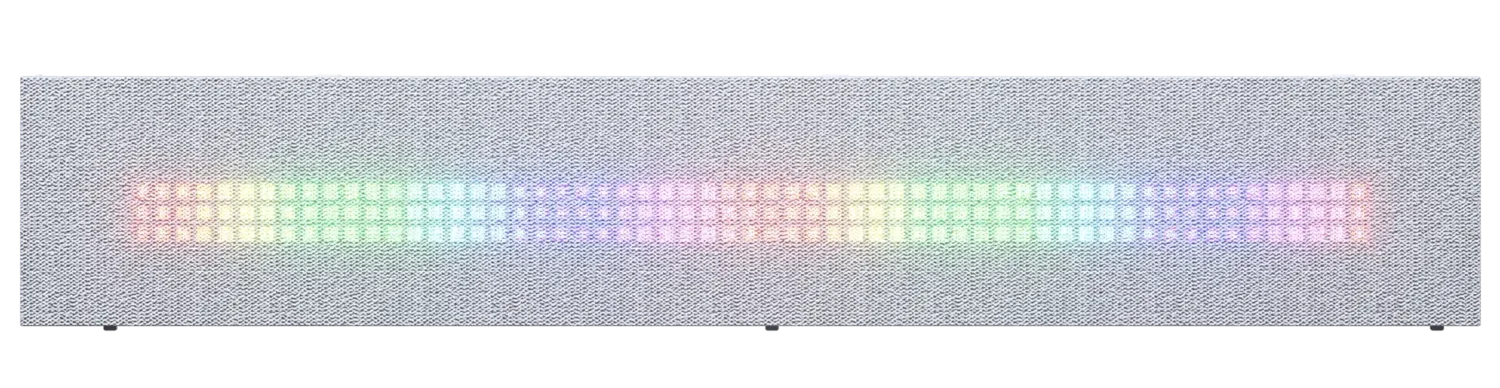
The Charcoal Black and Grey White versions are built on the same technical foundation, so the choice is mainly an aesthetic one. The black version represents a more classic gaming direction: paired with darker internal components, black motherboards and stronger RGB effects, it delivers a bold, high-contrast overall look. The white version, by contrast, offers a brighter, more modern and often cleaner appearance, especially when the user builds the entire configuration around a matching color theme.
The same applies to the Matrix Screen accessory. The black and white versions do not differ in function, only in the finish that matches the case color. Because of this, the best option is to choose the case and Matrix panel color together from the start. That way the whole system feels more cohesive, and the display truly looks like part of the case rather than something added afterwards.
The same applies to the Matrix Screen accessory. The black and white versions do not differ in function, only in the finish that matches the case color. Because of this, the best option is to choose the case and Matrix panel color together from the start. That way the whole system feels more cohesive, and the display truly looks like part of the case rather than something added afterwards.
Summary
The Phanteks XT View and the optional Matrix Screen are aimed at users who no longer see the PC case as just a shell, but as one of the defining elements of the entire configuration. The XT View is already a practical, spacious and modern ATX case on its own, while with the Matrix display it becomes an even more distinctive, informative and visually impressive system.
There is no technical difference between the black and white versions, so the decision mainly depends on the style of the planned build. The separately available Matrix Screen is also a good option for users who do not choose a factory Matrix-equipped case from the outset, but want to elevate the look of their existing XT View or G400A configuration later on. If the goal is a glass-panel case with a clean layout and a strong visual presence, this Phanteks combination is a particularly exciting foundation.
There is no technical difference between the black and white versions, so the decision mainly depends on the style of the planned build. The separately available Matrix Screen is also a good option for users who do not choose a factory Matrix-equipped case from the outset, but want to elevate the look of their existing XT View or G400A configuration later on. If the goal is a glass-panel case with a clean layout and a strong visual presence, this Phanteks combination is a particularly exciting foundation.


